I’ve been working in video production and digital education for years, and I can tell you with complete confidence — video editing is one of the most powerful creative skills you can build in 2026.
Think about what’s happening right now. Short-form content is dominating every platform. TikTok, YouTube Shorts, and Instagram Reels are pulling billions of views every single day. Brands are spending more on video than ever before. Freelance video editors are in high demand across agency work, remote gigs, and the entire creator economy. And honestly, the window to get in early on this skill is still wide open.
However, here’s the problem I see all the time: there are so many video editing courses online right now that most people get overwhelmed before they even open a single lesson. Free courses, paid courses, YouTube tutorials, college programs — it’s a lot to sort through. I’ve been through dozens of them myself, and I know exactly which types of programs actually move the needle.
In this guide, I’m going to walk you through everything — the best free and paid video editing course options, the top software tools you should learn, a practical month-by-month learning roadmap, and a complete checklist to help you choose the right course for your specific goals. Whether you’re a total beginner or an intermediate editor ready to go professional, this is the guide I wish I’d had when I first started.
Let’s get into it.
Who Should Take a Video Editing Course?
Before you jump into any program, it helps to know exactly why you’re learning. In my experience, the people who get the most out of a video editing course are the ones who are clear on their goal from day one. So let me break this down by audience type.
Best for Beginners Starting from Zero
If you’ve never touched a timeline before, you’re in the right place. A structured beginner video editing course gives you the foundation you actually need — how to import footage, how to cut clips, how to sync audio, and how to export a watchable final video. Without that foundation, you’ll spend weeks figuring out things that a good course covers in the first two hours.
Additionally, beginners benefit most from courses that explain the ‘why’ behind each step, not just the ‘how.’ The best beginner programs move slowly and deliberately, which means you actually retain what you learn.
Best for Content Creators and YouTubers
If you’re already creating content and you want your videos to look more professional, a YouTube video editing course is probably exactly what you need. The focus here is on workflow speed, transitions, pacing, and retention — the specific things that keep viewers watching past the 30-second mark.
In my experience, most content creators don’t need to learn film-level color grading right away. Instead, they need faster cuts, cleaner audio, and better thumbnail-worthy moments. A creator-focused course gets you there much faster than a general editing program.
Best for Freelancers and Future Professionals
If your goal is to get paid for your editing skills, you need to learn more than just button presses. You need storytelling, pacing, sound design, color grading, client communication, and portfolio building. A professional video editing course that includes real-world projects and portfolio support is worth every penny here. Because at the end of the day, clients don’t hire editors based on certificates — they hire based on work quality.
Best for Business Owners and Marketers
I work with a lot of small business owners who are tired of paying freelancers for basic social media clips. Learning to edit your own product videos, tutorials, and ads is genuinely a money-saving skill. For this group, a short-form focused course that covers mobile tools and templates is usually the most practical path forward.
Why Video Editing Skills Matter More Than Ever in 2026
I want to take a moment to explain why this is the exact right time to invest in a video editing course. This isn’t just a trend — it’s a structural shift in how people consume content and how businesses communicate.
The Rise of Short-Form Content
TikTok crossed 1.5 billion monthly active users. YouTube Shorts generates over 70 billion views per day. Instagram Reels has become the primary discovery tool for brands and creators alike. Short-form video isn’t a format anymore — it’s the default. Therefore, editing skills that focus on quick cuts, fast pacing, and punchy storytelling are more valuable now than at any other point in history.
Video Is Becoming the Default Format for Marketing
Brand storytelling, product demos, explainer videos, online course modules — all of it runs on video now. As a result, companies of all sizes are looking for editors who can produce clean, professional content at speed. Whether you work in-house or freelance, this demand is real and growing.
Editing Is One of the Most In-Demand Freelance Skills
On platforms like Upwork, Fiverr, and Toptal, video editing consistently ranks among the top five most hired creative skills. Meanwhile, the barrier to entry is genuinely low — you don’t need a film degree to get your first client. You need skills, a portfolio, and consistency. That combination is exactly what a good course helps you build.
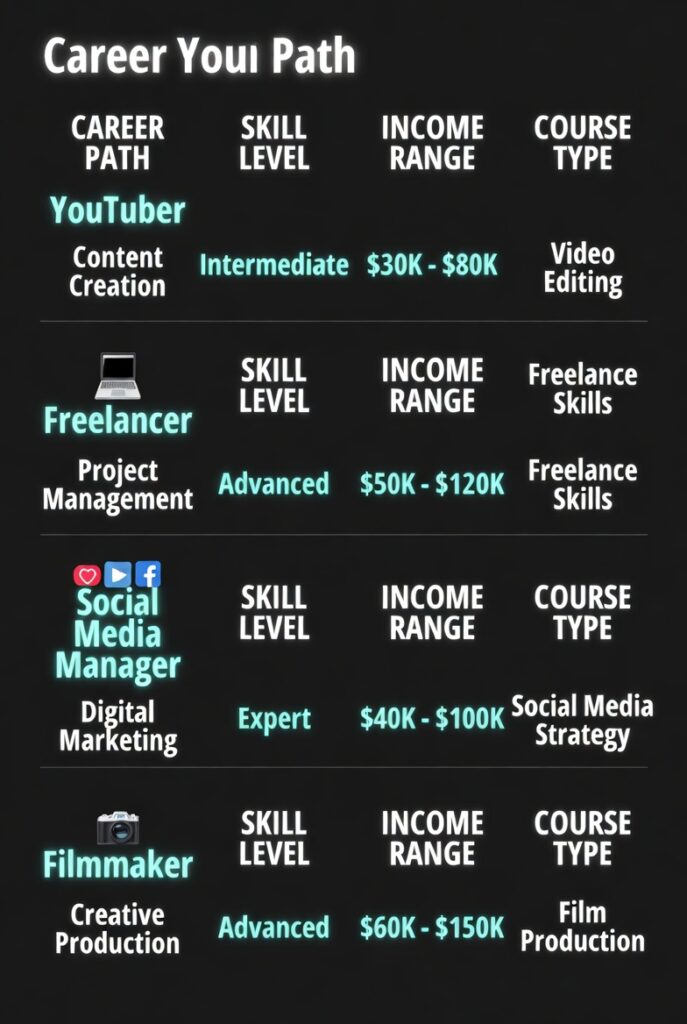
Career Path vs Income Potential vs Course Type
| Career Path | Editing Skill Needed | Income Potential | Recommended Course Type |
| YouTuber | Basic to Advanced | Medium to High | YouTube-focused |
| Freelancer | Advanced | High | Portfolio-based |
| Social Media Manager | Basic to Medium | Medium | Short-form editing |
| Filmmaker | Advanced | High | Professional software training |
Choosing the Right Video Editing Course Based on Your Goal
This is where most people get stuck — they pick a course that doesn’t match their actual goal. So let me make this simple. Here’s how I think about course selection based on what you actually want to do.
If You Want to Edit YouTube Videos
A YouTube video editing course should focus heavily on workflow, retention editing, and pacing. You want to learn how to cut out dead air, how to add b-roll that keeps eyes on screen, how to use jump cuts effectively, and how to build engaging intros. Adobe Premiere Pro is the most common software choice here, but DaVinci Resolve works just as well for this purpose.
If You Want to Become a Freelance Video Editor
Freelance editing is a business, not just a skill. Therefore, the best course for this path includes real-world project briefs, portfolio-building assignments, and workflow training that simulates actual client work. You also need to learn how to deliver files in multiple formats, handle revision requests professionally, and price your services correctly.
If You Want to Learn Professional Editing for Film or Commercials
This path requires the deepest level of training. You’ll need storytelling fundamentals, sound design, motion graphics, advanced color correction, and multi-camera editing. Final Cut Pro and DaVinci Resolve are the industry standards here. This is also the path where a professional certification carries the most weight.
If You Only Need Basic Editing for Social Media
Honestly? You might not even need a full course. A focused short-form editing program that covers CapCut, Canva video tools, and mobile templates can get you producing quality Reels and Shorts in under two weeks. However, if you want to grow beyond templates eventually, build a proper foundation from the start.
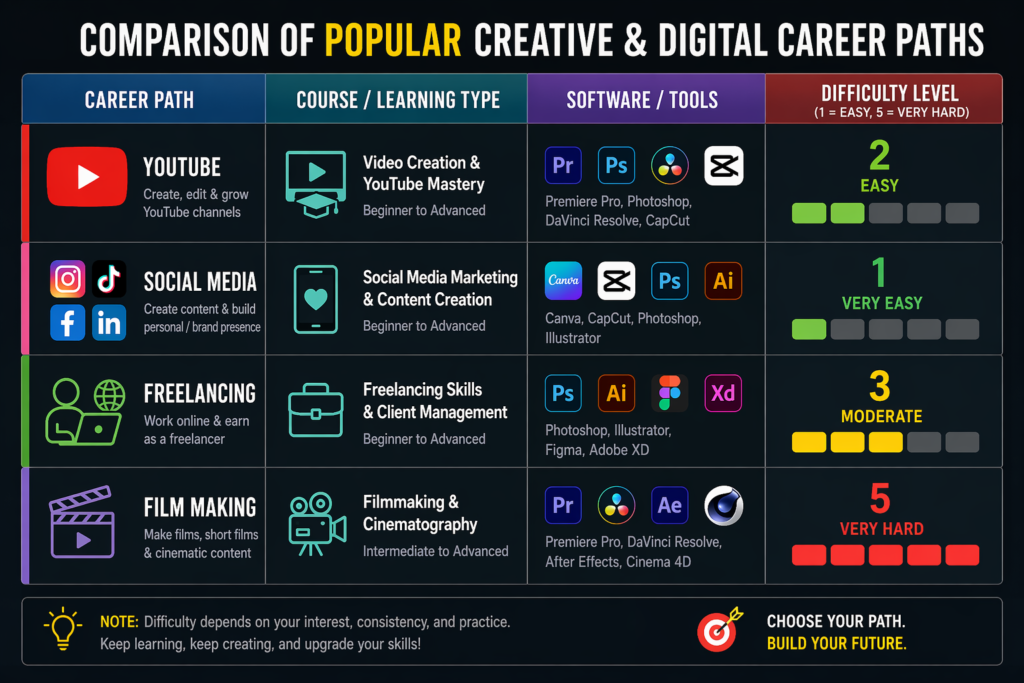
Course Selection Guide by Goal
| Goal | Best Course Type | Best Software to Learn | Recommended Difficulty |
| YouTube Editing | Creator Course | Adobe Premiere Pro | Beginner |
| Social Media Reels | Short-form Course | CapCut | Beginner |
| Freelancing | Full Masterclass | DaVinci Resolve | Intermediate |
| Film Editing | Professional Training | Final Cut Pro | Advanced |
Best Video Editing Software to Learn Before Choosing a Course
Here’s a mistake I see constantly — people pick a course without knowing which software it teaches, then realize halfway through that they’re learning a tool that doesn’t fit their computer, their budget, or their goals. So before you commit to any program, let’s talk tools.
Beginner-Friendly Tools
CapCut is my top recommendation for anyone starting with mobile or short-form content. It’s free, fast, and surprisingly powerful for Reels and TikTok videos. iMovie is the best free option for Mac users — it has a clean interface and teaches real editing fundamentals without overwhelming you. Canva Video Editor is ideal if you’re already using Canva for design and just need basic video capabilities.
Professional Editing Software
Adobe Premiere Pro is the industry standard for commercial and YouTube editing. It integrates with After Effects, Audition, and the rest of the Adobe suite, which makes it incredibly versatile. However, it does require a monthly subscription.
Final Cut Pro is Mac-only but incredibly fast and optimized. Many professional YouTube creators and filmmakers swear by it. DaVinci Resolve is my personal favourite for serious editors — it has the most powerful color grading tools on the market, and the free version is genuinely full-featured.
Free vs Paid Editing Tools
The biggest misconception I hear is that you need expensive software to produce professional work. That’s simply not true. DaVinci Resolve‘s free version handles everything from basic cuts to advanced color work. CapCut is completely free and produces social-ready content instantly. The paid tools (Premiere Pro, Final Cut Pro) justify their cost primarily when you’re working at scale or in a professional environment.
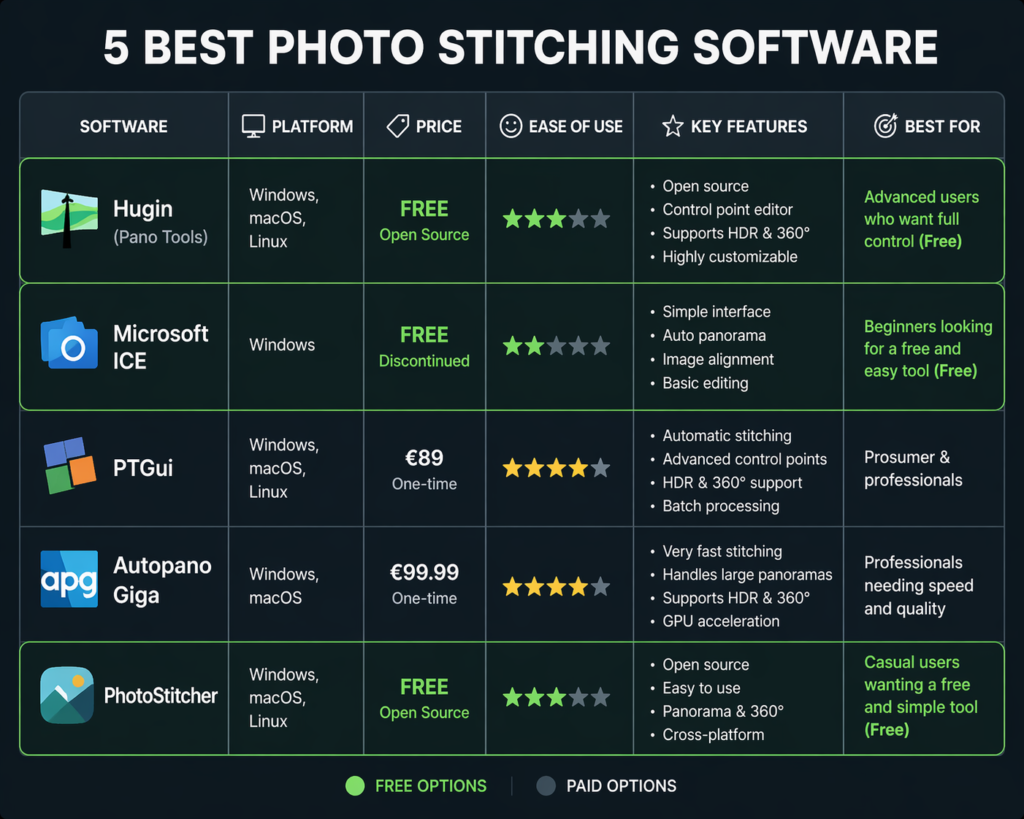
Video Editing Software Comparison
| Software | Best For | Free or Paid | Difficulty | Works On |
| CapCut | Reels and Shorts | Free | Easy | Mobile/Desktop |
| iMovie | Beginners | Free | Easy | Mac |
| Adobe Premiere Pro | Professional Work | Paid | Medium | Windows/Mac |
| DaVinci Resolve | Color Grading | Free + Paid | Advanced | Windows/Mac |
| Final Cut Pro | Mac Professionals | Paid | Medium | Mac only |
Free vs Paid Video Editing Courses: What Actually Works?
This is the question I get asked most often, and I want to give you a completely honest answer based on real experience — not just a generic comparison.
What You Usually Get from Free Online Video Editing Training
Free courses are genuinely useful for absolute beginners who just want to get comfortable with a timeline. Most free platforms offer intro lessons that cover the basics — importing, cutting, basic transitions, and exporting. However, the structure is usually inconsistent, the projects are limited, and there’s rarely any feedback or support when you get stuck.
What Paid Courses Usually Include
When you pay for a structured program, you typically get step-by-step progression, downloadable project files, real editing assignments, community access, and in many cases, a certificate of completion. Additionally, the best paid courses are updated regularly, which matters a lot in a fast-moving field like video editing.
When a Free Video Editing Course Is Enough
If you’re editing videos for personal use, a family event, or casual social media posts with no career intention — free is absolutely fine. YouTube tutorials combined with a free tool like DaVinci Resolve or CapCut can take you surprisingly far. Similarly, if you just want to test whether you even enjoy editing before committing money, start free.
When Paying for a Course Makes Sense
If you want to freelance, build a portfolio, get certified, or work professionally, a paid course is worth the investment. The structured learning path alone saves you months of figuring things out in the wrong order. On top of that, the portfolio support and community access that come with premium programs have real career value.
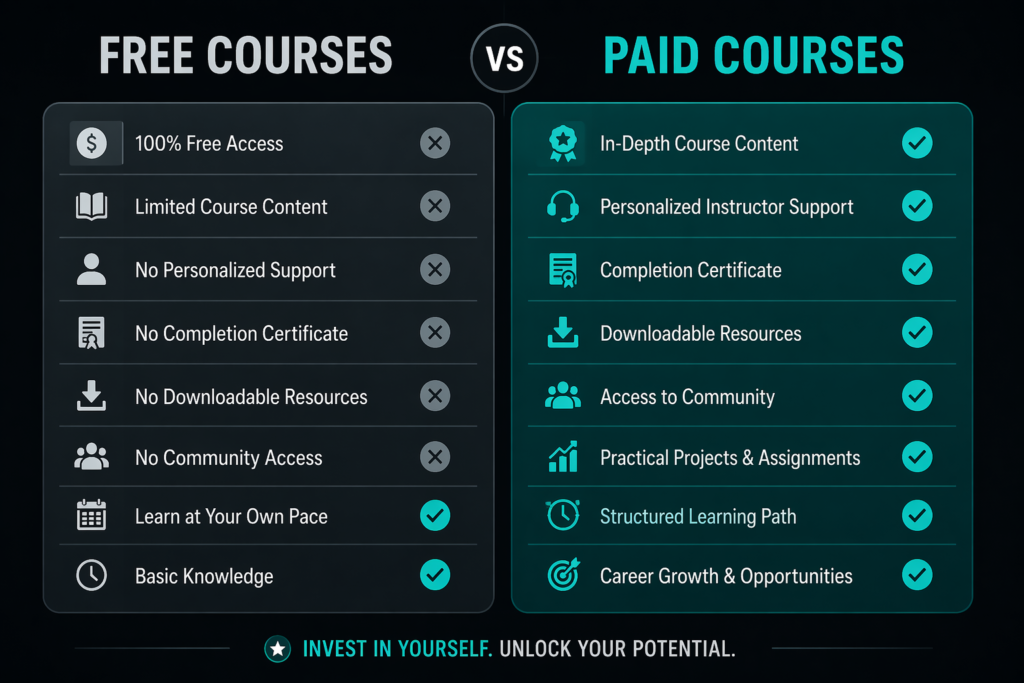
Free vs Paid Video Editing Course Comparison
| Feature | Free Courses vs Paid Courses |
| Cost | Free | Medium to High |
| Structure | Limited | Step-by-step |
| Feedback | Rare | Usually Included |
| Certification | Rare | Common |
| Career Support | Low | High |
| Project Files | Rarely Included | Usually Included |
A Step-by-Step Learning Roadmap for New Video Editors
One of the most common questions I get is: ‘How long does it actually take to learn video editing?’ My honest answer — you can produce your first clean, watchable video within a week. However, to edit at a professional level, you’re looking at four to six months of consistent practice. Here’s the roadmap I personally recommend.
Month 1: Learn Basic Editing Skills
Start simple. Get comfortable with your editing software’s interface, learn how the timeline works, practice cutting clips, and understand audio syncing. Focus on one tool only — don’t jump between software right now. By the end of month one, your goal is to produce one fully edited, exported video, even if it’s imperfect. That first complete project matters more than any lesson you’ll watch.
Month 2: Learn Storytelling and Transitions
Once you’re comfortable with the basics, shift your focus to how your edits feel. Pacing is everything in video editing — it’s the difference between a video that holds attention and one that people click away from at 20 seconds. Practice timing cuts to music, adding b-roll to support your main footage, and using titles and text overlays to guide the viewer. Avoid overusing transitions. Simple cuts are almost always better than fancy wipes.
Month 3: Learn Color Grading and Audio Cleanup
This is where your work starts looking genuinely professional. Learn the basics of color correction — white balance, exposure, contrast — before diving into creative color grading with LUTs. Equally important is audio. Clean, balanced audio makes a bigger difference to perceived video quality than almost anything else. Learn to remove background noise, balance music levels, and use basic EQ.
Month 4: Build a Portfolio
Now it’s time to create work you can actually show people. Build a small portfolio of three to five videos that demonstrate your range. This might include a travel vlog, a mock product ad, a short documentary clip, and a social media reel. These don’t need to be for real clients — mock projects count. What matters is showing that you can tell a story visually.
Month 5 and Beyond: Start Freelancing or Building a Channel
At this point, you’re ready to put yourself out there. Start by offering your services to local businesses, content creators, or nonprofits who need video work. Create a simple portfolio website or Behance profile. Start networking in creator communities on Discord, Reddit, or LinkedIn. Your first paid gig won’t be your best work — but it will be the most important one.
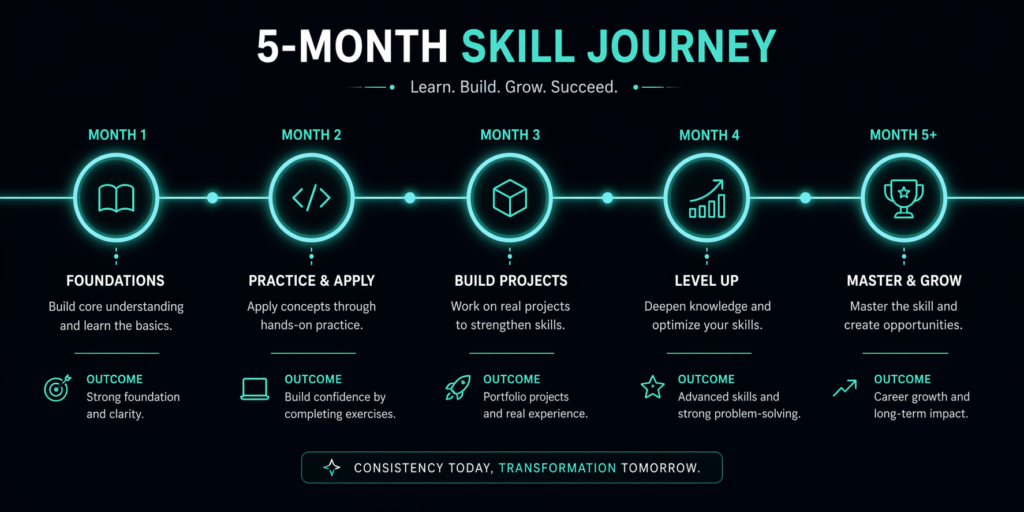
Video Editing Learning Roadmap by Month
| Month | Main Skill + Outcome |
| Month 1 | Editing Basics — First edited video |
| Month 2 | Storytelling — Better pacing |
| Month 3 | Color and Audio — More professional videos |
| Month 4 | Portfolio Projects — Client-ready samples |
| Month 5+ | Freelancing — First paid opportunities |
Common Mistakes That Slow Down New Video Editors
I’ve coached a lot of new editors, and I keep seeing the same mistakes over and over. The good news is that once you’re aware of them, they’re easy to avoid.
Trying to Learn Too Many Tools at Once
This is the number one mistake. Jumping between Premiere Pro, DaVinci Resolve, CapCut, and Final Cut Pro in the same month teaches you nothing deeply. Pick one tool and commit to it for at least 90 days. Depth beats breadth every single time.
Focusing Only on Effects Instead of Storytelling
Effects are fun. However, they mean nothing without a strong edit underneath. I’ve seen gorgeous transitions wrapped around footage that has no structure, no pacing, and no story. Always prioritize the story first — effects are the finishing touch, not the foundation.
Ignoring Audio Quality
Bad audio kills good video. In my experience, viewers will forgive shaky footage far more easily than they’ll forgive muddy or distorted audio. Learn basic audio cleanup from month one, not as an afterthought.
Using the Wrong Export Settings
This is a technical mistake that wastes hours of work. Always export at the correct resolution and codec for your platform. A 4K export compressed into the wrong format can look worse than a 1080p video done correctly. Learn your export settings early.
Not Practicing with Real Projects
Watching course videos without editing anything is like watching cooking tutorials and never touching a pan. You learn by doing. Set a goal to finish at least one real project for every course module you complete.
Taking Too Many Courses Without Finishing One
Collecting courses is not the same as learning. I’ve met people with 12 half-finished video editing courses and zero completed videos. Finish one course completely. Then move to the next.
Beginner vs Advanced Video Editing Learning Strategy
Where you are right now determines what you should focus on. Here’s how I’d approach learning at each level.
Beginner Strategy
Focus exclusively on one editing tool. Learn the basic cuts, transitions, audio syncing, and export settings. Complete one course from start to finish before starting another. Your first goal is simple: finish a video and publish it somewhere, even if it’s not perfect. Perfection at the beginner stage is the enemy of progress.
Intermediate Strategy
At this level, you should focus on speed and sophistication. Learn advanced transitions, start exploring color grading workflows, and improve your storytelling efficiency. Practice editing the same clip multiple ways to develop your instincts. Additionally, start learning keyboard shortcuts — they’ll cut your editing time in half. If you haven’t explored AI tools for creative workflows, that’s worth looking into at this stage too.
Advanced Strategy
At an advanced level, you’re adding motion graphics, multi-camera workflows, commercial editing techniques, and workflow automation. You’re also thinking about efficiency at scale — how do you edit faster without sacrificing quality? Advanced editors also develop a signature visual style, which becomes their brand in the market.
Best Resources to Practice Your Editing Skills for Free
You don’t need to spend any money to practice. Here are my go-to free resources that I still use regularly.
Free Stock Video Sources
Pexels has an enormous library of high-quality, royalty-free footage. Pixabay offers a similar collection with a wide variety of styles. Mixkit is specifically good for motion graphics templates and short cinematic clips, which makes it particularly useful for practice projects.
Free Music and Sound Effects
YouTube Audio Library is completely free to use and has a surprisingly solid collection of background tracks and sound effects. The Epidemic Sound free trial gives you access to a premium catalog for 30 days — more than enough time to complete several practice projects. Use it strategically.
Practice Project Ideas
Here are five projects I recommend every new editor complete before calling themselves ready for client work:
- A travel vlog using stock footage
- A mock product advertisement for a brand you like
- A podcast highlight reel with text overlays
- A motivational short with music timing
- A gaming montage
Each one teaches a different editing skill set, and together they form a genuinely diverse portfolio.
Before You Buy Any Video Editing Course, Use This Checklist
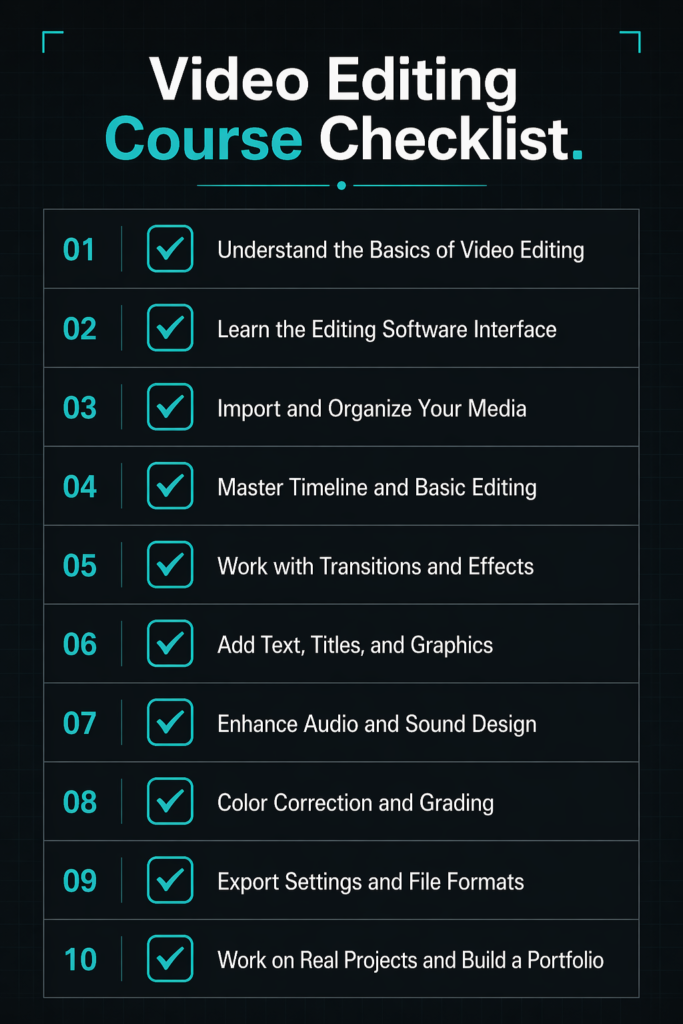
Before you spend a single dollar, run through this checklist. In my experience, most course regrets come from skipping one or two of these steps.
Course Evaluation Checklist
- Does it teach the software you actually want to learn?
- Is it genuinely beginner-friendly (not just labeled that way)?
- Does it include hands-on projects, not just video lectures?
- Does it come with downloadable project files or assets?
- Does it offer a certificate of completion?
- Does it include portfolio-building support?
- Are the lessons updated for 2026 content standards?
- Is there a community, forum, or Q&A access included?
- Does it fit your actual budget without stretching?
- Can you preview at least two or three lessons before buying?
If a course checks seven or more of these boxes, it’s probably worth your investment. If it checks fewer than five, keep looking.
Your Next Step: How to Start Learning Video Editing This Week
Here’s the thing I want you to take away from this entire guide — the best video editing course is the one you actually start and finish. I’ve seen people spend three months researching courses and zero time editing. Don’t do that.
Here’s your action plan for this week:
- Choose one editing software — CapCut if you’re on mobile, DaVinci Resolve if you want professional-level training for free.
- Choose one course — use the checklist above to narrow it down to one option.
- Commit to 30 minutes a day for the next 30 days. That’s it.
- Practice on a real project — don’t just watch. Edit something.
- Publish your first video — even on a private YouTube link. The act of finishing and exporting matters enormously.
- Focus on progress, not perfection — your first ten videos will probably be rough. That’s normal. Mine were too.
The demand for skilled video editors isn’t slowing down. In fact, it’s accelerating. The question is simply whether you’ll be ready when the right opportunity shows up. Start now. I suggest you to read this article to get more graphics design and UI/UX informations.
Frequently Asked Questions About Video Editing Courses
What is the best video editing course for beginners?
In my experience, the best beginner-level programs are those that focus on one tool, move at a steady pace, and include real practice projects. Look for courses on platforms like Skillshare, Udemy, or LinkedIn Learning that specifically label their curriculum as beginner-friendly and include downloadable assets.
Are free video editing courses worth it?
Yes — but with limits. Free courses work well for learning the basics and deciding whether you enjoy editing. However, if your goal is professional-level skills, a structured paid course with project files and feedback will get you there significantly faster.
Which software should I learn first for video editing?
I always recommend starting with either CapCut (for mobile and short-form content) or DaVinci Resolve (for desktop and professional learning). Both are free, both are powerful, and both are widely used in the industry. Choose based on your target platform.
How long does it take to learn video editing?
You can edit your first watchable video within a week. Basic competency takes about one to two months of daily practice. Professional-level editing — the kind clients pay well for — typically takes four to six months of consistent work. Therefore, be patient and stay consistent.
Can I become a freelance video editor without a degree?
Absolutely. Most clients don’t care about your degree — they care about your portfolio. I know editors earning six figures who never studied film. What matters is the quality of your work, your ability to meet deadlines, and how well you communicate with clients. A good online video editing course can give you the same skills at a fraction of the cost of a traditional degree.
What is the best YouTube video editing course?
For YouTube specifically, look for courses that cover retention editing, pacing, b-roll usage, and how to build engaging intros and outros. Many top YouTube creators have released their own editing courses, which are often the most practical option because they teach real workflows from real channels.
Is Adobe Premiere Pro better than DaVinci Resolve?
It depends on your use case. Premiere Pro is better for integration with other Adobe tools and is widely used in professional broadcast environments. DaVinci Resolve is unmatched for color grading and is completely free at the professional tier. For most new editors, I recommend starting with DaVinci Resolve and switching to Premiere Pro only if a specific workflow demands it.
Do video editing courses include certificates?
Most paid courses on platforms like Udemy, Coursera, and LinkedIn Learning include certificates of completion. However, keep in mind that certificates matter less than portfolio work when it comes to freelance opportunities. Use the certificate as a confidence marker, not the primary goal.
Can I learn video editing online for free?
Yes. Between YouTube tutorials, DaVinci Resolve’s free version, and free stock footage from Pexels and Mixkit, you can build real editing skills at zero cost. The trade-off is that self-guided learning takes longer and requires more discipline than a structured paid course.
What equipment do I need to start editing videos?
For basic editing, you need a computer with at least 8GB RAM (16GB recommended for 4K), a decent processor, and enough storage for video files. A good monitor helps with colour accuracy. You don’t need a high-end machine to start — but invest in RAM before anything else if you’re on a budget.
Conclusion
Learning video editing in 2026 is one of the most practical, career-relevant skills you can build — regardless of whether you want to be a full-time editor, a content creator, or a business owner who handles their own video marketing. The tools are more accessible than ever, the courses are better structured than they’ve ever been, and the demand for skilled editors is only growing.
Start with one tool. Finish one course. Build three to five real portfolio pieces. Then put your work out there. That’s the roadmap — and it genuinely works. I’ve seen it work for complete beginners who are now earning real income from their editing skills within a year of starting.
If this guide helped you get clarity on your next step, explore more of our creative skill-building content including photography courses, digital marketing training, and social media marketing courses that pair naturally with video production skills.
Your editing journey starts today. Go make something.