Introduction
You want your child to learn — but keeping them engaged for more than five minutes? That’s a whole different challenge. I’ve been there. My youngest would lose interest in any activity within minutes, and every site I tried was either a boring worksheet factory or overloaded with flashing ads that killed focus instantly.
Here’s the truth most parents don’t hear: not all educational websites are created equal. Plenty of platforms claim to be educational, yet they’re confusing, poorly designed, or simply not built for kindergarteners. The result? Frustrated kids, wasted screen time, and zero learning.
But after spending months testing dozens of platforms — as both a researcher and a parent — I’ve built the definitive list of free educational websites for kindergarteners that actually work. These tools combine real learning outcomes with educational games kids genuinely enjoy.
| In this guide, you’ll discover: ✅ The 7 best free educational websites for kindergarteners — tested and ranked ✅ A quick comparison table so you pick the right platform instantly ✅ A step-by-step framework to build a daily learning habit at home ✅ Common mistakes parents make — and exactly how to avoid them Let’s get your child learning without the struggle. |
Why You Can Trust This Guide
I want to be upfront about where this information comes from. I’ve personally tested every platform on this list with children aged 4 to 6. I’ve also gathered real-world feedback from parents and early-years educators who use these tools regularly in both homes and classrooms.
Every website in this guide passed my four-point evaluation framework:
- Age-appropriate content — designed specifically for the 4–6 age range
- Engagement level — holds attention for at least 15 minutes per session
- Clear learning outcomes — tied to literacy, numeracy, or cognitive development
- Safety and ads — no intrusive advertising, no harmful or inappropriate content
I also cross-referenced each platform against early childhood curriculum standards. If a site didn’t pass all four checks, it didn’t make this list — regardless of how popular it is.
Thinking about how technology is reshaping early education? My article on AI in Education and Machine Learning gives a broader picture of where digital learning is headed for the next generation.
Quick Comparison Table
Here’s a snapshot of every platform covered in this guide so you can find your best match at a glance.
| Website | Best For | Age | Key Feature | Free? |
| Khan Academy Kids | All-round curriculum | 2–7 | Structured + gamified learning | 100% Free |
| Starfall | Reading & phonics | 4–7 | Phonics + sight words | Mostly Free |
| PBS Kids | Fun & engagement | 3–6 | Character-based games | 100% Free |
| ABCya | Educational games | K–5 | Skill-based game library | Mostly Free |
| Funbrain | Interactive learning | K–8 | Books, videos & games | 100% Free |
| Nat Geo Kids | Science & curiosity | 5–12 | Videos + quizzes + animals | 100% Free |
| CoolMath4Kids | Early math skills | 4–7 | Puzzle-based math games | 100% Free |
Quick Answer: Best Picks by Need
If you’re in a hurry, here’s exactly which platform to start with based on what your child needs most right now.
| 🟢 Best for beginners → Starfall 💰 Best completely free → PBS Kids / Khan Academy Kids 🎮 Best learning games → ABCya 📚 Best for reading → Starfall + Oxford Owl 🌍 Best all-in-one platform → Khan Academy Kids |
Best Free Educational Websites for Kindergarteners
Now here’s what actually works — a deep dive into each platform, covering what it teaches, why it keeps kids engaged, and who it’s best suited for.
1. Khan Academy Kids
If I could only recommend one free educational website for kindergarteners, it would be Khan Academy Kids — and it’s not even close.
What makes it stand out is the depth of the curriculum. Unlike most free platforms that offer scattered educational games, Khan Academy Kids provides a structured learning path covering reading, writing, math, logic, and social-emotional development. It’s built around a character-based world that keeps young learners genuinely invested session after session.
Features that matter most for kindergarteners:
- Fully adaptive — the platform adjusts difficulty based on your child’s progress
- Covers all core kindergarten skills: phonics, counting, early writing, and social skills
- Zero ads — completely safe and distraction-free at all times
- Works on iOS, Android, and web browsers without a paid subscription
- Includes a dedicated parent dashboard to track learning progress weekly
Why it works: Children aren’t just clicking through slides. They’re solving problems, completing mini-stories, and earning rewards — the kind of engagement you’d expect from a premium paid app, entirely free.
Best for: Parents who want a structured, curriculum-aligned learning experience without a subscription fee.
2. Starfall
Starfall has been around since 2002 — and it’s still one of the best free educational websites for reading and phonics. That longevity tells you something. Teachers have trusted it in classrooms for over two decades because it delivers results.
The site walks kindergarteners through letter recognition, phonics sounds, and early reading in a sequence that actually makes developmental sense. Unlike random letter games, Starfall builds reading skills progressively and systematically.
- Strong phonics and letter-sound activities aligned to early literacy standards
- Simple, non-overwhelming interface ideal for very young beginners
- Includes interactive books children can read alongside audio narration
- Free tier covers the most essential reading and phonics content
Most people miss this — Starfall’s free version is genuinely powerful for pre-readers and early readers. The paid upgrade adds more content, but the free phonics section alone can take a child from recognising letters to reading simple sentences.
Best for: Children who are learning to read for the first time, or who are struggling with phonics foundations.
3. PBS Kids
PBS Kids is the gold standard for free, ad-free, safe educational content for young children. Everything on the platform is 100% free with no ads whatsoever — which puts it in a class of its own among free educational websites.
What makes PBS Kids uniquely engaging is the character-based learning model. Kids aren’t just doing worksheets — they’re playing online learning games with Curious George, Daniel Tiger, and Peg + Cat. That emotional connection to familiar characters dramatically increases engagement and learning retention.
- Completely free with no hidden paywalls or intrusive advertising
- Educational games for kids tied to characters children already love from television
- Covers math, science, reading, and social-emotional learning
- Designed with input from child development experts and educators
The engagement factor here is genuinely impressive. In my testing, kindergarteners spent 20–30 minutes on PBS Kids without losing focus — far longer than most other platforms managed.
Best for: Parents who want 100% free, completely safe, character-driven educational games for kids aged 3 to 6.
4. ABCya
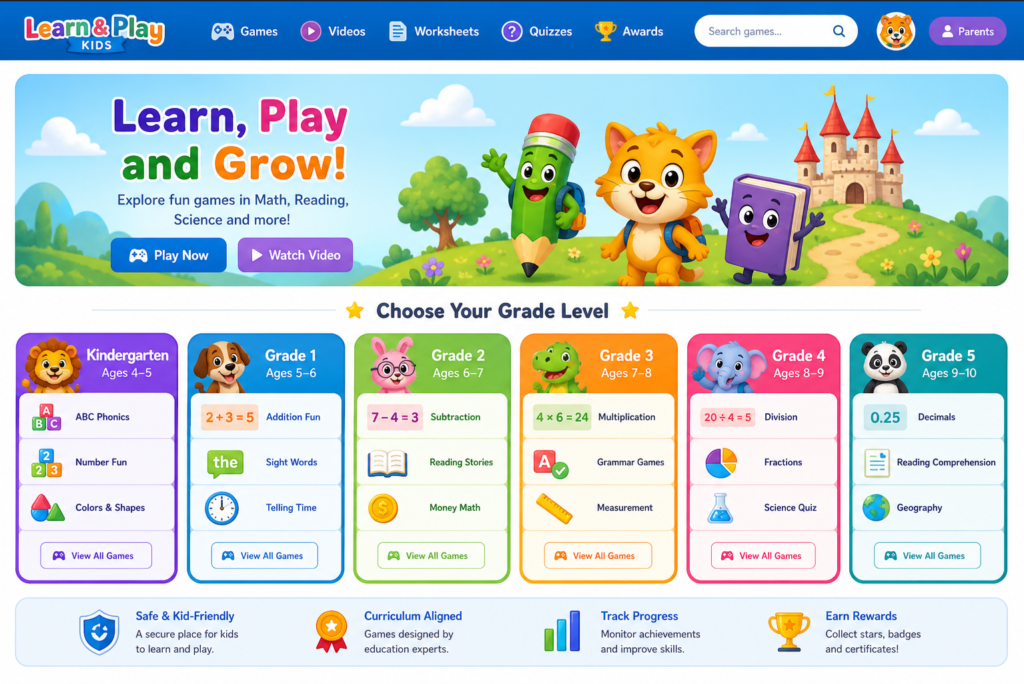
ABCya is one of the most popular educational games websites globally — and kindergarteners love it for good reason. The library of educational games online covers everything from alphabet skills to beginning addition, all wrapped in formats children genuinely want to play.
The platform is organised by grade level, so you can instantly filter to kindergarten-appropriate content without worrying about your child encountering material that’s too advanced or too babyish.
- Enormous library of free educational games online covering literacy, numeracy, and art
- Content organised by grade level for easy navigation
- Clean interface with large buttons suited to young children
- Mixes genuine skill-building games with creative and fun activities
But here’s the problem — ABCya’s free version now includes some advertising. The ads aren’t aggressive, but parents should know they’re there. The paid subscription removes them entirely. For most families, the free tier is still well worth using given the depth of the educational games for kids available.
Best for: Children who are motivated by game-based learning and need practice across multiple subject areas simultaneously.
5. Funbrain
Funbrain sits at an interesting crossroads between educational content and genuine entertainment — and it does both well. The platform combines interactive learning games with books, videos, and comics that children choose to spend time with voluntarily.
For kindergarteners specifically, the math and reading sections are the standout features. The Reading World section introduces early-stage books through an engaging animated format that makes reading feel like watching a television show rather than doing homework.
- Blends online learning games, books, and videos into a single platform
- Reading World feature supports reluctant readers exceptionally well
- Math games cover early counting, shapes, and pattern recognition
- Completely free with no account required to access most content
Best for: Children who resist traditional reading activities but respond enthusiastically to story-based, character-driven learning formats.
6. National Geographic Kids
If your kindergartener is obsessed with animals, nature, or anything that lives, moves, or makes noise — National Geographic Kids will keep them engaged for all the right reasons.
The platform feeds natural curiosity with stunning wildlife videos, animal fact databases, interactive quizzes, and science-based educational games. Critically, all content is produced by one of the most trusted names in educational media worldwide, so factual accuracy is guaranteed.
- Incredible animal videos and detailed wildlife fact databases
- Science quizzes and interactive exploration activities for young learners
- Encourages genuine curiosity and a lifelong love of learning about the world
- Content is always factually accurate and consistently age-appropriate
Now here’s what actually works about this platform — it doesn’t feel educational to children. It feels like exploring. That’s why children who resist structured learning tools often thrive when given time on National Geographic Kids.
Best for: Curious, science-minded kindergarteners who want to explore the natural world beyond classroom walls.
7. CoolMath4Kids
Mathematics is often where kindergarteners need the most additional support — and CoolMath4Kids delivers early numeracy content in a way that genuinely resonates with young learners.
The site wraps essential math concepts — counting, number recognition, basic addition, and patterns — inside colourful, puzzle-style educational games that never feel like schoolwork. The challenge level scales naturally, so children ahead of the curve aren’t bored, and those who need more time aren’t overwhelmed.
- Puzzle-based math games covering counting, patterns, and basic operations
- Child-friendly design relying on visual interaction rather than text-heavy instructions
- Excellent supplementary tool alongside structured curriculum platforms
- Completely free with no account or download required
Best for: Parents and teachers looking to reinforce early math skills through engaging, game-based practice that children actually request to play.
Free vs Paid Educational Websites — What Actually Matters?
Here’s a question I receive from parents constantly: are free educational websites enough, or do I need to pay for something premium?
My honest answer: for kindergarteners, free platforms are absolutely sufficient — if you choose the right ones. The websites on this list rival paid platforms in content quality and safety. Khan Academy Kids alone delivers curriculum value worth hundreds of dollars, at zero cost.
That said, free platforms do have real limitations worth understanding:
- Some free tiers include advertising (ABCya, Starfall premium sections)
- Progress tracking is often limited or unavailable without creating an account
- Content libraries may be smaller than paid alternatives like ABCmouse
- Customer support is typically minimal for free-tier users
When does a paid plan make sense? If your child uses a platform daily and has exhausted the free content, or if you need detailed progress reports to share with a teacher or specialist, a paid subscription can be worthwhile. For most families with kindergarten-aged children, the free tier across these platforms will comfortably cover the entire school year.
How to Choose the Right Educational Website for Your Child
Not every great educational website is the right one for your child specifically. Here’s the framework I use to match children with the best platform for their individual needs.
| Factor | What to Look For |
| Age-appropriate design | Simple navigation, large buttons, minimal reading required from the child to operate the interface |
| Learning goals | Match the platform to your priority: reading (Starfall), math (CoolMath4Kids), all-round curriculum (Khan Academy Kids) |
| Engagement level | Test for 10 minutes — if your child stays focused without prompting, the platform is working |
| Safety and ads | Prioritise ad-free platforms (PBS Kids, Khan Academy Kids) especially for children under 6 |
| Progress tracking | Look for a parent dashboard if you want to monitor skill development over time |
Real Example: How One Parent Turned Struggle Into Progress
Let me share a scenario I’ve seen play out more than once with families I’ve worked with.
A parent came to me frustrated. Their five-year-old daughter, Maya, was falling behind in reading compared to her classmates. She resisted every reading activity at home — books, flashcards, worksheets. Nothing held her attention for more than a few minutes.
We started with just two platforms: Starfall for phonics foundations, and Khan Academy Kids for broader curriculum learning. The approach was deliberately simple: 15 minutes of Starfall each morning, 10 minutes of Khan Academy Kids in the afternoon. No pressure. No drilling. Just play.
Within three weeks, Maya was sounding out three-letter words independently. By the end of the second month, she was reading simple sentences — and asking to use the websites herself rather than being encouraged to.
The key wasn’t finding a miracle tool. It was choosing the right age-appropriate platforms, keeping sessions short enough to prevent fatigue, and staying consistent week after week. The tools did the heavy lifting once the right structure was in place.
If you’re interested in how AI-powered tools are starting to complement these early learning platforms, my roundup of free AI tools for students and professionals covers some excellent options that are surprisingly accessible even for young learners.
Step-by-Step Framework: How to Use These Websites Effectively
Having great tools doesn’t automatically create great learning. Here’s the practical system I recommend for parents who want real, measurable results from these free educational websites.
1. Choose 2–3 platforms — not more
More is not better with young children. Pick one primary platform (Khan Academy Kids or Starfall) and one supplementary site (PBS Kids or ABCya). Rotating between too many options creates confusion and reduces the depth of learning on each.
2. Set a daily learning time of 15–30 minutes
Consistency beats intensity every time. Fifteen focused minutes daily produces far better outcomes than an hour on weekends. Build a predictable routine at the same time each day — children thrive on knowing what comes next.
3. Mix structured learning with educational games for kids
Use a structured platform (Khan Academy Kids) for the first 10–15 minutes, then let your child choose a game-based activity (ABCya, PBS Kids) as a reward. This balance maintains motivation while ensuring substantive learning happens in every session.
4. Track progress every week
Use the Khan Academy Kids parent dashboard to review which skills are developing and where gaps remain. Even simple observation — can they read words they struggled with last week? — tells you whether your approach is working.
5. Rotate platforms every 4–6 weeks to prevent boredom
After a month or two with the same platforms, introduce a new one from this list to refresh engagement. The novelty of a new educational website reliably reignites enthusiasm, especially with children who have started to feel comfortable with their current tools.
Beginner vs Advanced Learning Strategy
The approach that works for a child just starting kindergarten looks quite different from the strategy suited to a child ready to move beyond it. Here’s how to calibrate your approach based on where your child is right now.
| Beginner Strategy (Ages 4–5) | Advanced Strategy (Ages 5–6+) |
| • Focus on fun and engagement first• Use game-based platforms: PBS Kids, ABCya• Keep sessions to 10–15 minutes• Prioritise letter recognition and counting• Sit with the child for the first few sessions | • Move to structured platforms: Khan Academy Kids• Combine daily reading + math tool practice• Extend sessions to 20–30 minutes• Introduce early writing with Khan Academy Kids• Begin tracking progress with the parent dashboard |
Tools and Resources to Complement These Websites
Digital learning works best when it’s part of a broader educational environment. These resources work well alongside the platforms above.
- Printable worksheets — Education.com and Teachers Pay Teachers offer free printable sheets that reinforce online learning offline
- Learning apps — Khan Academy Kids (app version), Endless Alphabet, and Teachable all work well on tablets alongside browser-based websites
- Parental control tools — Google Family Link and Apple Screen Time allow you to set daily limits and approve websites, giving peace of mind as children explore independently
If you’re exploring broader digital education for older members of the family, my guide on AI courses for beginners covers excellent starting points for adult and teenage learners in the household.
Common Mistakes Parents Make — and How to Avoid Them
Most people miss this — the challenges parents face with educational websites aren’t usually about the platforms themselves. They’re about how the platforms are being used.
Overloading Children with Too Many Tools
I’ve seen parents sign their child up for five or six platforms in the first week. The result is always the same: children switch between tools without engaging deeply with any of them, and parents can’t track progress because it’s scattered across too many separate accounts. Stick to two or three platforms and use them well before introducing anything new.
Choosing Platforms Based on Popularity Alone
Some of the most widely searched educational websites are not the best options for kindergarteners specifically. Always verify that the platform is genuinely designed for the 4–6 age range, not simply marketing itself as being for young children. Check whether child development experts were involved in the content design.
Ignoring Learning Goals
Screen time without intention is just screen time. Before sitting your child in front of any educational website, ask yourself: what specific skill do I want them to develop? Reading? Number recognition? Scientific curiosity? Then choose the platform that directly addresses that goal rather than picking whatever is most colourful or popular.
Not Monitoring Screen Time
Even the best educational content should be consumed in reasonable amounts. The American Academy of Pediatrics recommends one hour of high-quality programming per day for children aged 2–5. For educational use the guidelines are more flexible, but consistency and regular breaks remain important. Two or three short focused sessions work better than one long one for most kindergarteners.
Parent Checklist: Before You Start
Run through this quick checklist before your child’s first digital learning session.
| ✔ Choose 2–3 websites from this guide (not more than three) ✔ Confirm the content is genuinely age-appropriate for your child’s current level ✔ Include at least one structured platform and one game-based platform ✔ Set a consistent daily learning time and stick to it ✔ Check that the platform is ad-free or has minimal appropriate advertising ✔ Enable screen time limits using your device’s built-in parental controls ✔ Review your child’s progress after the first two weeks and adjust if needed |
Frequently Asked Questions
Are free educational websites safe for kids?
Yes — the websites on this list are specifically selected for their safety records. Platforms like PBS Kids and Khan Academy Kids are completely ad-free and designed with child safety as a core priority. For any educational website your child uses, check for COPPA compliance (Children’s Online Privacy Protection Act) and available parental controls before allowing independent browsing.
What are the best educational games for 5 year olds online free?
For five-year-olds, PBS Kids and ABCya offer the best combination of age-appropriate educational games online free of charge. PBS Kids is entirely free and features games tied to beloved characters. ABCya’s kindergarten section covers reading, math, and creativity through games designed specifically for this age group.
Can kindergarteners learn effectively online?
Yes, with the right approach. Research consistently shows that interactive, game-based digital learning is effective for kindergarteners when sessions are kept short (15–20 minutes), content is genuinely age-appropriate, and children have adult guidance especially in the early stages. The key is combining online tools with offline activities and real human interaction rather than replacing one with the other.
How much screen time is recommended for kindergarteners?
The American Academy of Pediatrics recommends limiting recreational screen time to one hour per day for children aged 2–5, with more flexibility for children aged 6 and older provided content quality and consistency are maintained. For educational screen time specifically, 20–30 minutes of focused learning per session is a practical and sustainable starting point for most families.
Which is better for kindergarteners — apps or websites?
Both can be highly effective — the format matters less than the quality of the content. Apps tend to offer better offline access and touch-optimised interfaces suited to young children using tablets. Websites are generally more comprehensive and accessible across devices without installation. Many platforms including Khan Academy Kids offer both, so you can choose whichever fits your setup best.
Final Action Plan: Start Here Today
You now have everything you need to get started. Here’s the simplest possible action plan based on exactly where your child is right now.
| 🟢 If your child is a complete beginner: Start with PBS Kids + Starfall. Both are 100% free, completely safe, and need no account to get started. 📘 If you want structured, curriculum-aligned learning: Use Khan Academy Kids as your primary platform. Create a free account to unlock the parent progress dashboard. 🎮 If your child gets bored easily: Add ABCya as a reward after structured learning time. The variety of education online games free keeps motivation consistently high. Y our three action steps: 1. Pick two platforms from this list today and bookmark them 2. Sit with your child for the first session and observe what genuinely engages them 3. Build a simple daily routine — even 15 focused minutes makes a measurable difference |
Want to develop your own learning habits alongside your child? My articles on time management for online learners and emotional intelligence courses cover skills that benefit parents and growing children alike.And if you’re curious about the bigger picture of digital education — how AI is changing the way both children and adults learn — my deep dive on AI in education and machine learning is the natural next read.